Troubleshooting
SteamVR doesn't show "Immersive Glove Controller"
The driver isn't installed correctly.
- Close Steam and SteamVR, including from the system tray.
- Install the driver again.
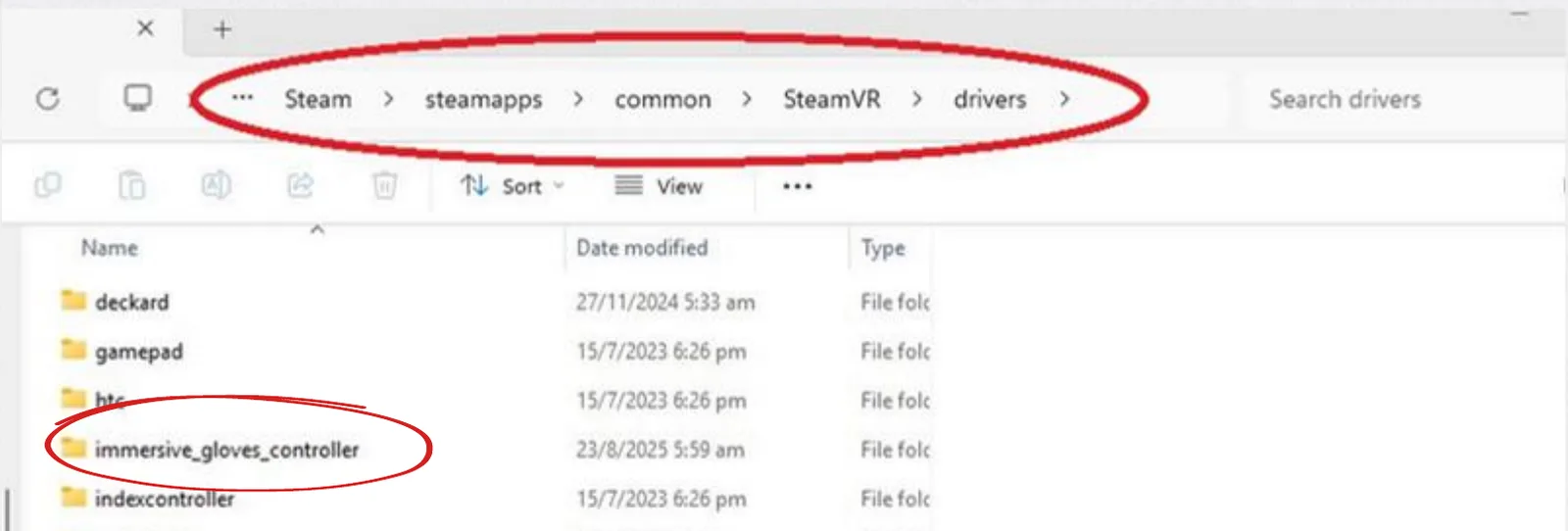
- Check that the folder
immersive_gloves_controllerexists inSteam\steamapps\common\SteamVR\drivers.
A sensor LED stays dark
When the glove is powered on, a green sensor LED means the sensor is alive; a dark LED means the sensor is dead. See Parts overview. If a sensor stays dark, contact us on the EOZ Discord.
The glove doesn't work properly after a firmware update
Make sure you updated both USB-C ports on each glove. See Update the firmware.
Still need help?
Ask on the EOZ Discord.