Install the driver
The Toolbox downloads and installs the latest EOZ Glove driver for SteamVR.
1. Close Steam and SteamVR
Also exit them from the Windows system tray.
2. Open the Driver tab
Run the Toolbox and choose the Driver tab.
3. Install the driver
Click Install driver.
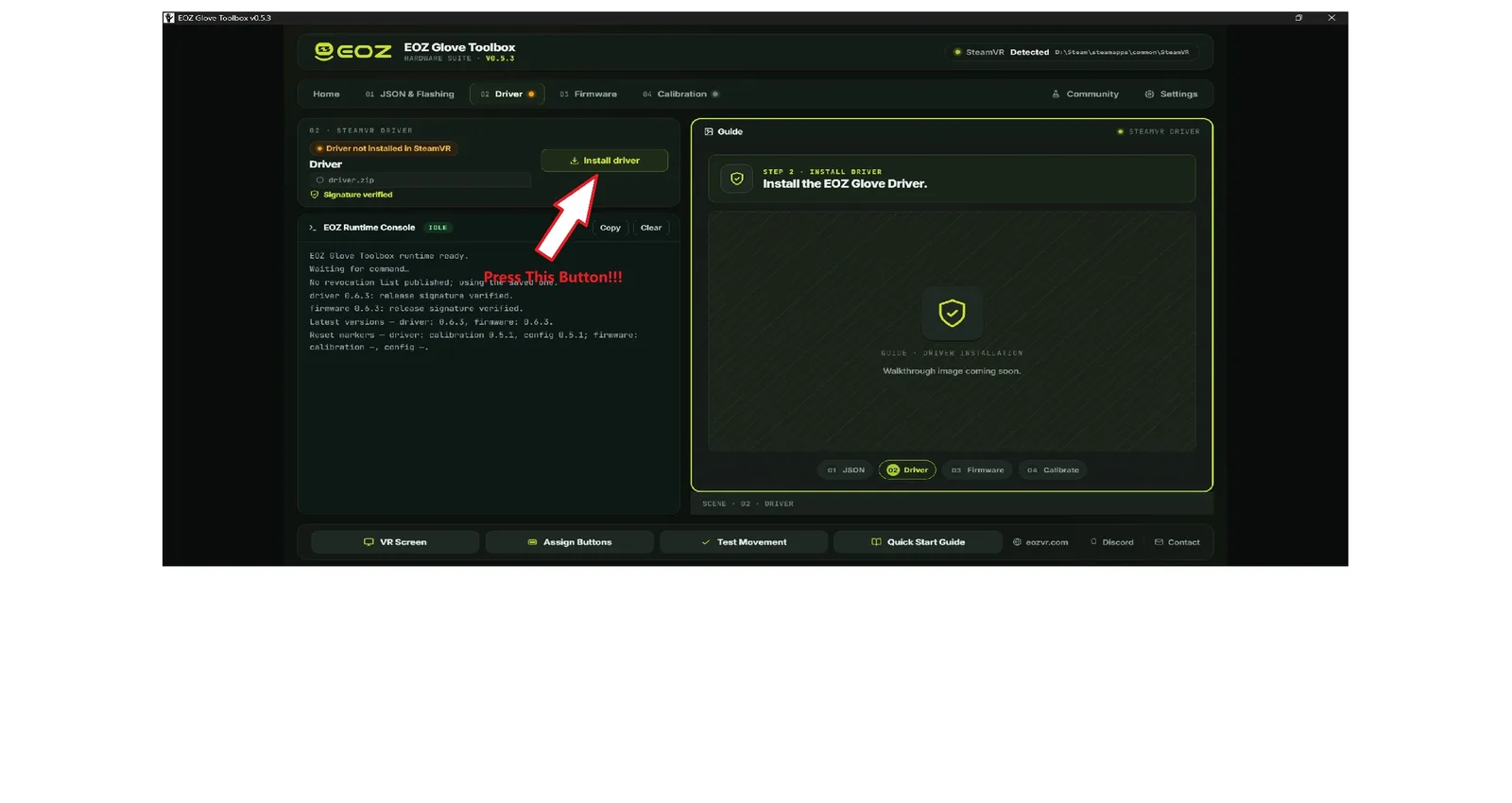
4. Confirm the prompt
When Windows asks for permission, click Yes.
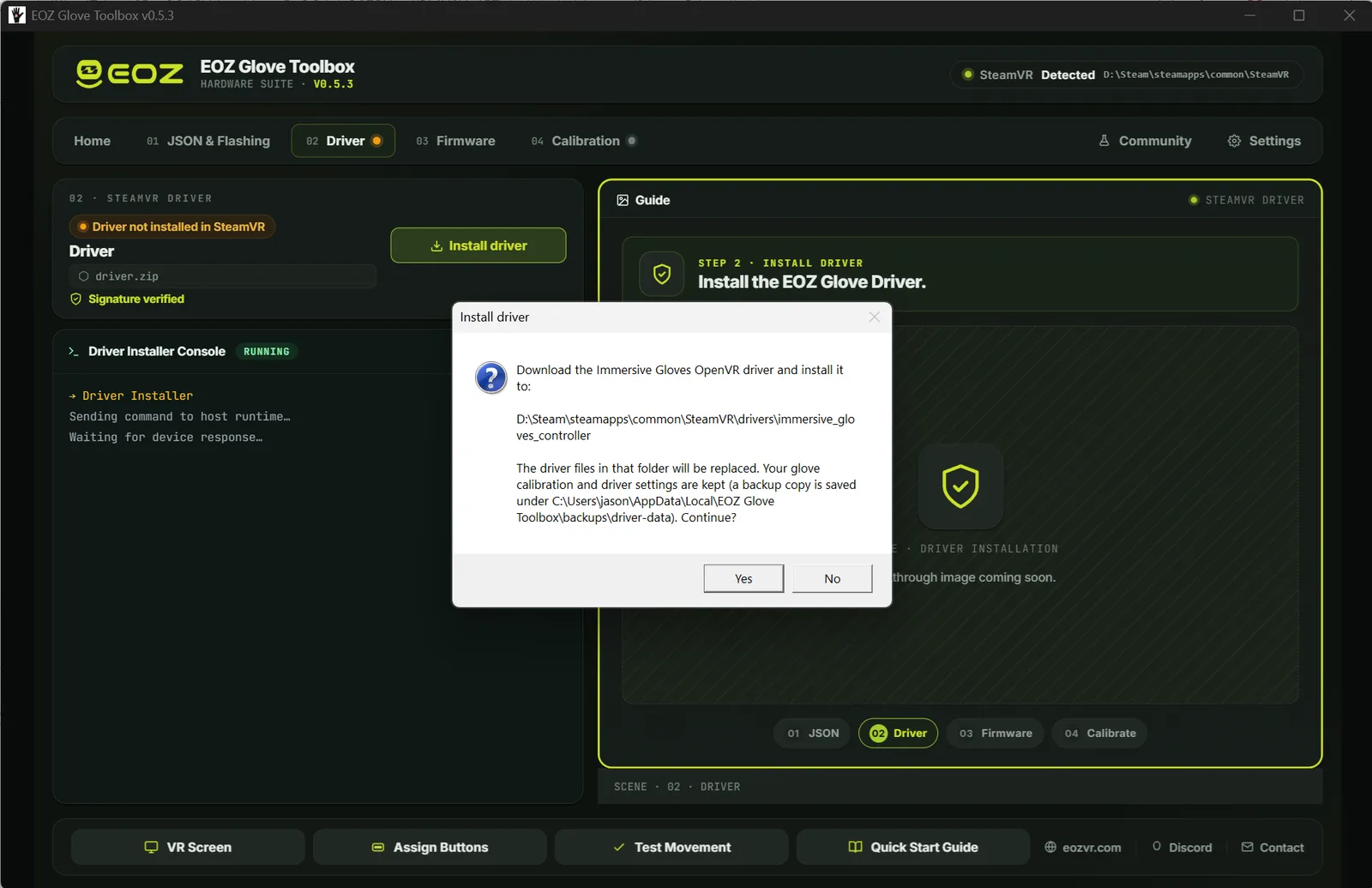
5. Wait for the installation
This takes 30 seconds to 2 minutes, depending on your internet speed. When it completes successfully, continue to Update the firmware.
Manual download
If the Toolbox can't download the driver, download it here.