Update the firmware
Update the firmware of the glove's expansion board.
1. Open the Firmware tab
Run the Toolbox, choose the Firmware tab, and click Update.
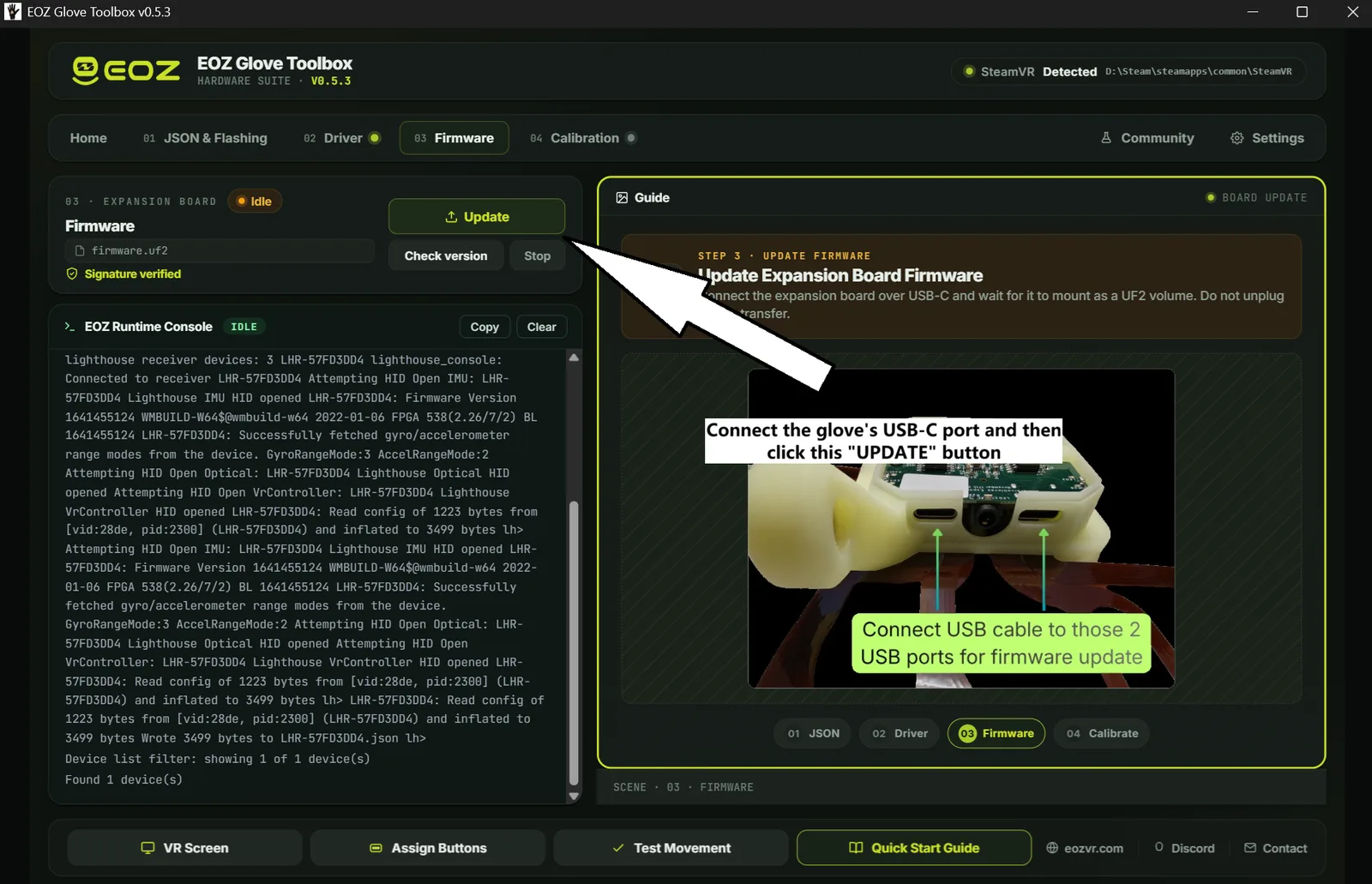
2. Connect the glove
Turn on your Tundra Tracker and wait for the green LEDs on the glove to light up. Then connect one of the glove's USB-C ports to your PC.
The update starts automatically.
3. Update both ports
Very important
Each glove has two USB-C ports. When the first update finishes, repeat with the glove's other USB-C port.
4. Repeat for the other hand
Repeat steps 1–3 for the other glove.
Manual download
If the Toolbox can't download the firmware, download it here.